
AuroraViewer manual
Settings, sessions, and windows
Settings are preferences shared across viewers. Sessions preserve each window's library, selection, search, and canvas state. Knowing the difference makes restore and multi-window behavior predictable.
Settings pages
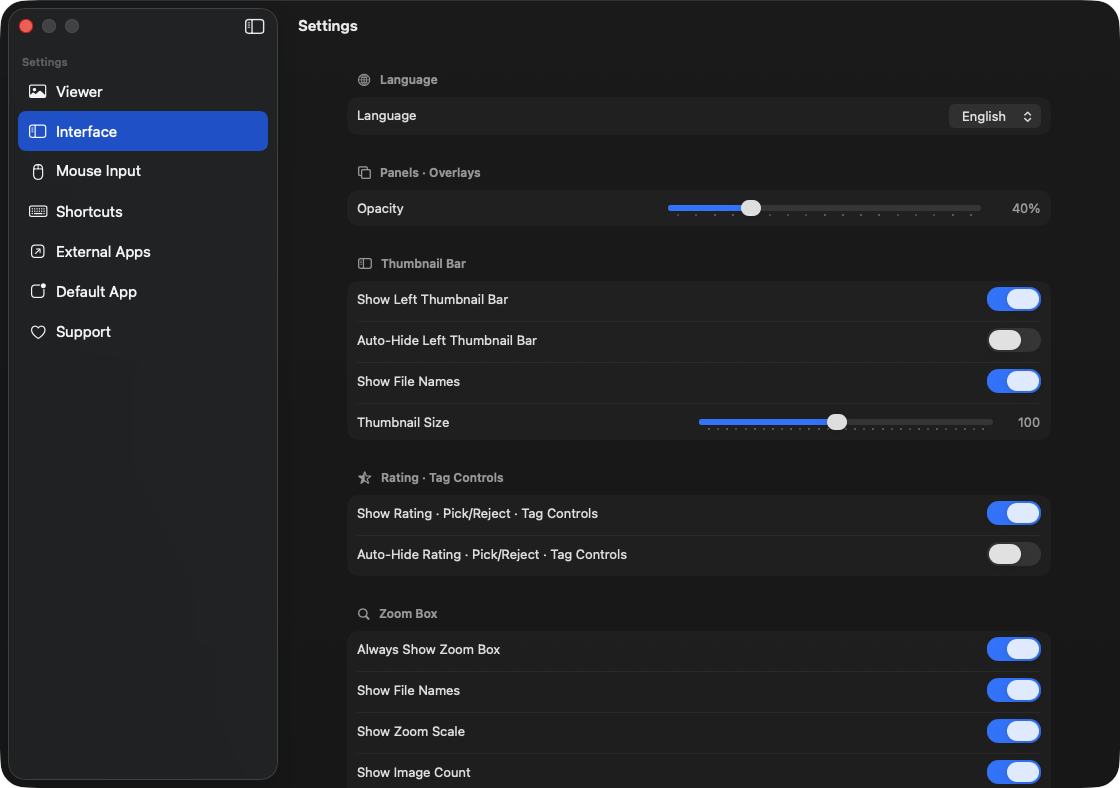
- Viewer: configure zoom, antialiasing, pixel grid, transparency, visual similarity, two-page view, slideshow, sessions, and cache.
- Interface: choose app language and how the sidebar, rating controls, overlays, and title bar appear.
- Mouse Input: remap wheel navigation and zoom, full-screen click, color sampling, and ROI drag combinations.
- Shortcuts, External Apps, Default App, and Support: manage key actions, registered app order, Finder integration, and help.
Restore the last session
- A session includes source groups, selection, search, sorting, filters, zoom, pan, rotation, and Compare slots.
- With automatic restore enabled, saved windows reopen when the app launches without external input.
- With automatic restore disabled, the app asks before restoring a saved session.
- Launching from a file in Finder prioritizes the new input and skips the previous session bootstrap.
- Missing or inaccessible files are skipped, and the app reports how many could not be restored.
Use multiple viewers
- Open an empty viewer from the File menu, or send the current selection or library to a new viewer.
- If needed, open selected images in separate viewers.
- Use the Window menu to arrange visible viewers in a grid or start editing window positions.
- Restore the previous viewer arrangement if the layout is not useful.
- You can expand, collapse, pin, or auto-hide the sidebars across all viewers at once.
Cache and local state
- Image previews, archive extraction results, and duplicate-analysis results are rebuildable local derived data.
- You can delete general caches on exit or clear all caches immediately from Settings.
- Temporary extraction from password-protected archives is always cleaned up regardless of the general cache setting.
- Clearing cache does not delete original image files.