
Keep the whole image and its detail in view
Move among Fit, Original Size, 200%, Preserve Scale, and pointer-centered zoom to examine composition and individual pixels.
Learn moreProduct capabilities
AuroraViewer connects browsing, comparison, ratings, tags, inspection, and export while preserving the source location of your files. These capabilities reflect the current source and version 1.6.3.
Browse
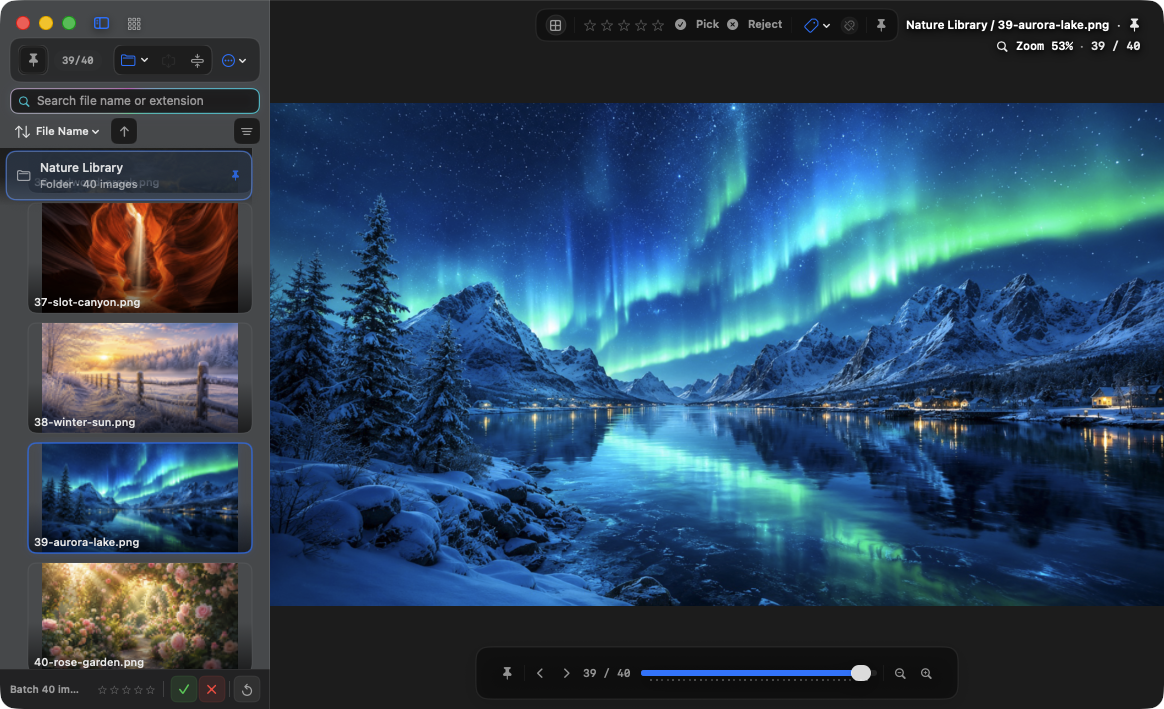
Open individual images, multiple folders and their subfolders, plus images inside ZIP, RAR, and 7z as source groups. Finder opening and drag and drop are supported.
Move among Fit, Original Size, 200%, Preserve Scale, and pointer-centered zoom to examine composition and individual pixels.
Learn moreSearch names and extensions, then sort by capture or modified date, size, resolution, rating, and more. Filters can be combined.
Learn more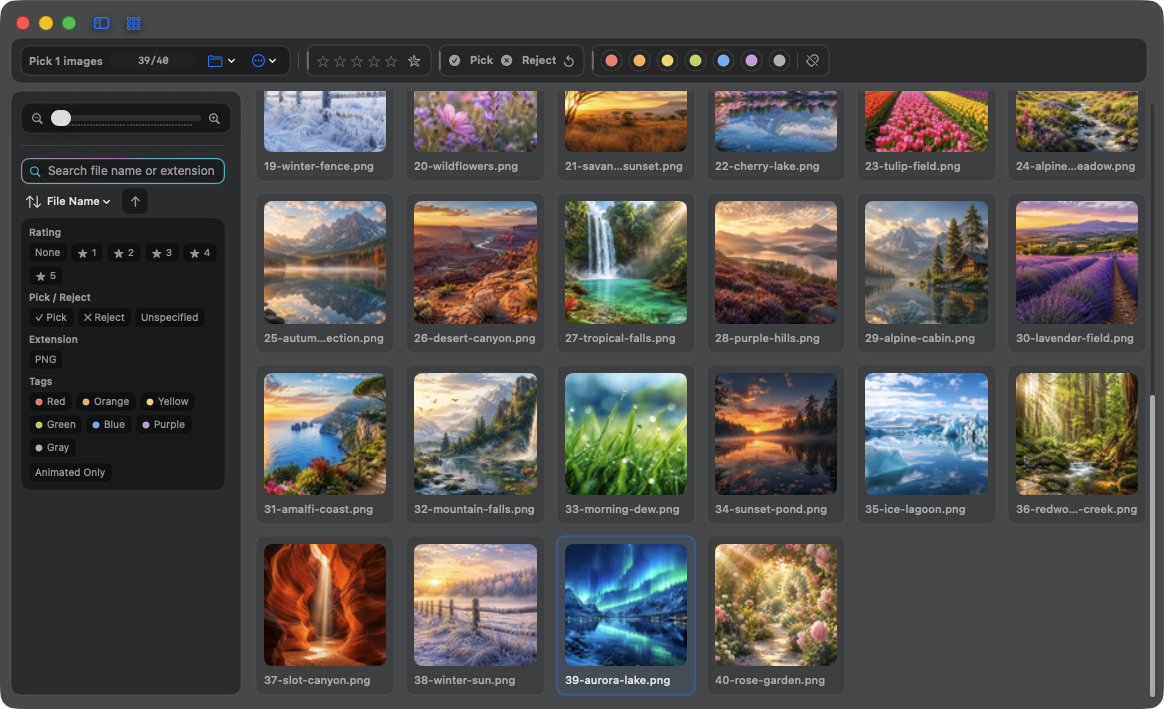
Review
Record 0–5 stars and Pick/Reject status, then read and write Finder tags. Apply them to a selection or the current filtered results.
Compare
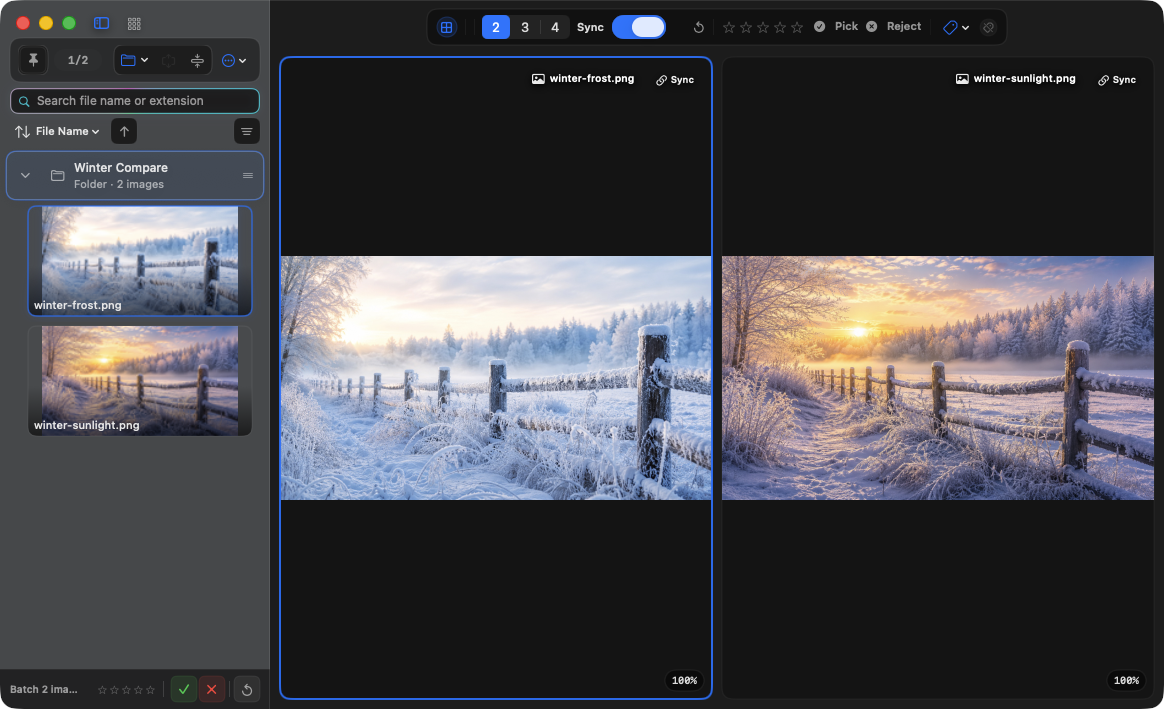
Arrange images in two, three, or four slots and synchronize zoom and pan. For comics and scans, use two-page viewing with right-to-left ordering when needed.
Inspect
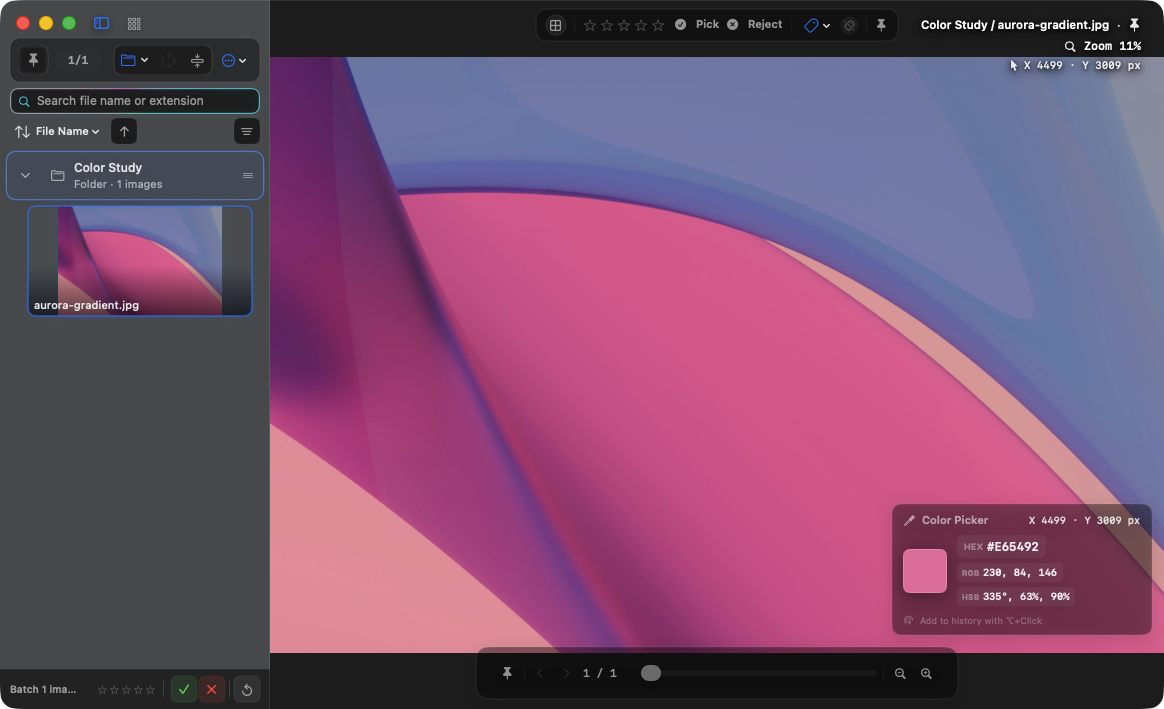
Magnify the pixel under the pointer and read RGB, HEX, and HSB values. Use the EXIF overlay for camera and capture information.
Organize
Find exact duplicates by file hash, or group visually similar images with perceptual hashes and Apple Vision. Nothing is deleted automatically.
Export
Convert the current image, or copy and move selected originals. Choose crop, dimensions, quality, and metadata handling for the intended result.
Formats
These are the input extensions recognized by the scanner. Actual rendering still depends on file contents and macOS support.
BMP · JPEG · GIF · PNG · WebP · TIFF · HEIC · HEIF · AVIF · APNG · SVG · PSD · DDS · JPEG 2000 · TGA · PBM · PGM · PPM · DNG · CR2 · CR3 · CRW · NEF · NRW · ORF · RW2 · PEF · ARW · SR2 · RAF · AI · EPS · EPSF · PDF
ZIP · RAR · 7z
PNG · JPEG · TIFF · HEIC · WebP
Availability and rendering quality can vary with the file's codec and the ImageIO or Quick Look support available in macOS.
Workspace continuity
Customize shortcuts and mouse, rendering, and sidebar behavior. Save and restore sessions, work with multiple viewer windows, reveal the current file in Finder, or open it in the default editor.
Learn settings, sessions, and windows